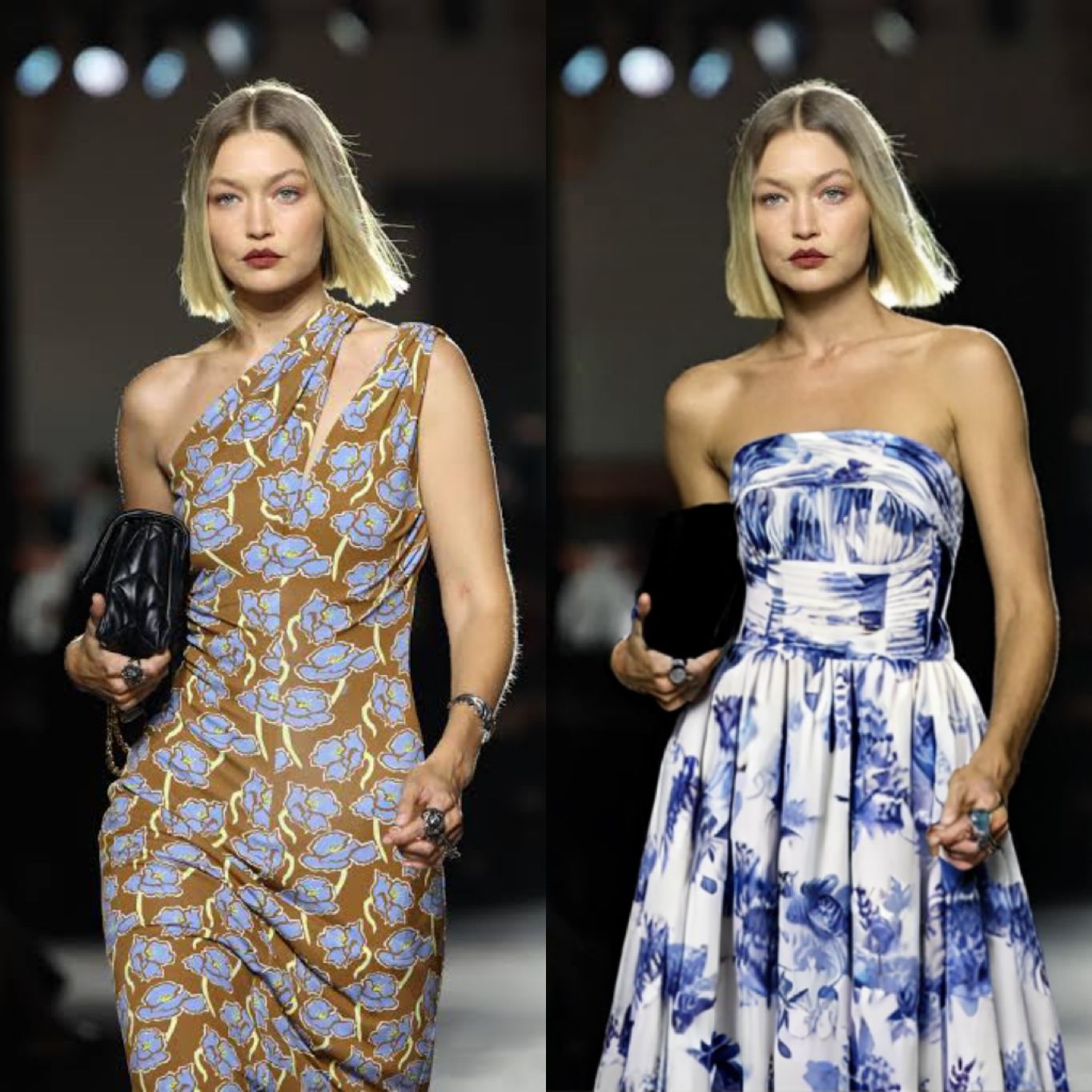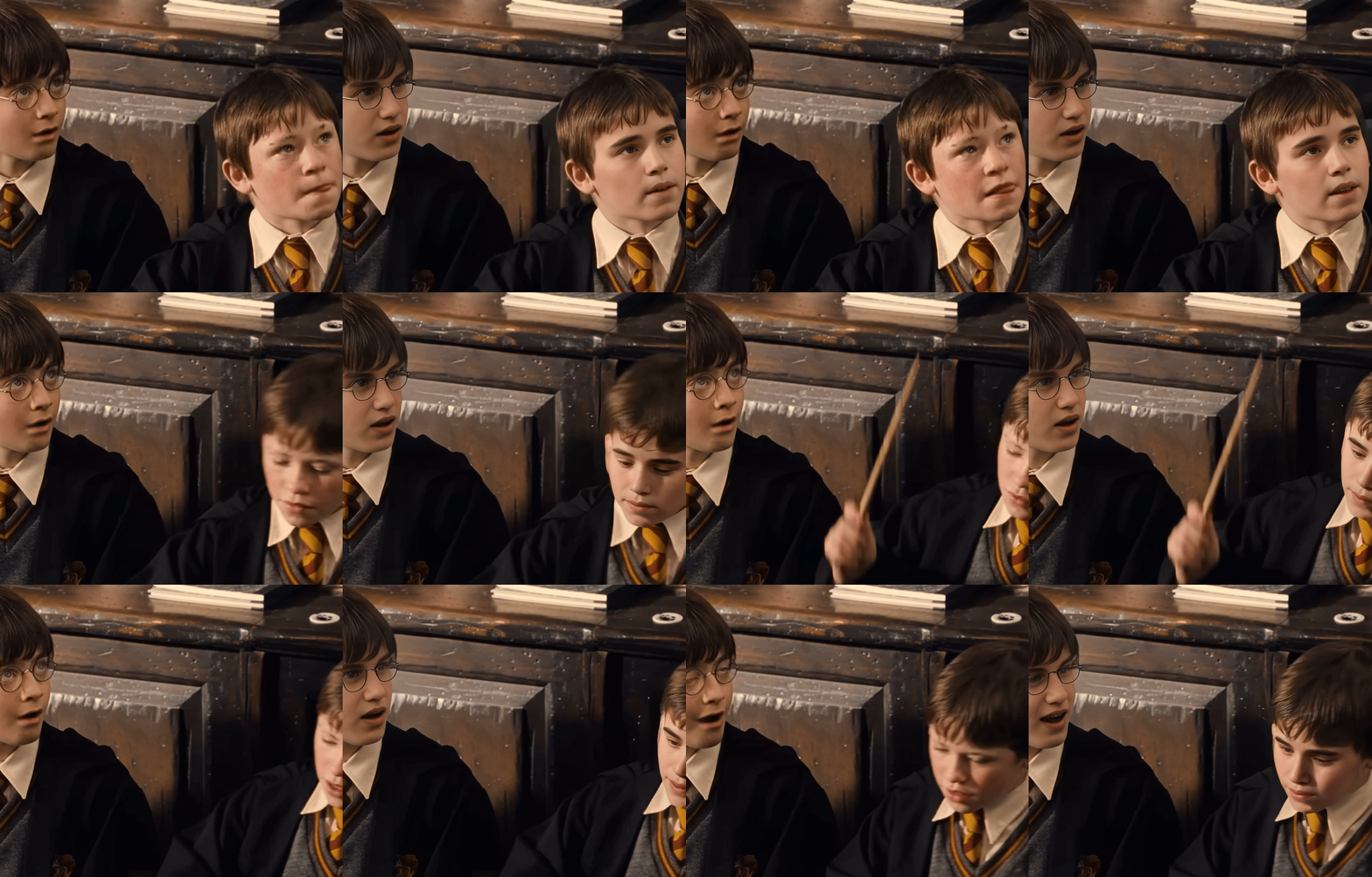
In this vlog, we’ll show you how to use the SwapFace AI image generator, and how it’s going to impress you. From a single reference photo, you can create endless consistent characters in any scene, outfit, or style, all within seconds.
What is AI Image Generator with Consistent Characters?
An AI image generator creates new images based on your input image and text prompt. When it supports consistent characters, the generated images preserve the key features of your original character, such as facial structure and body shape, while allowing changes in outfit, pose, or background.
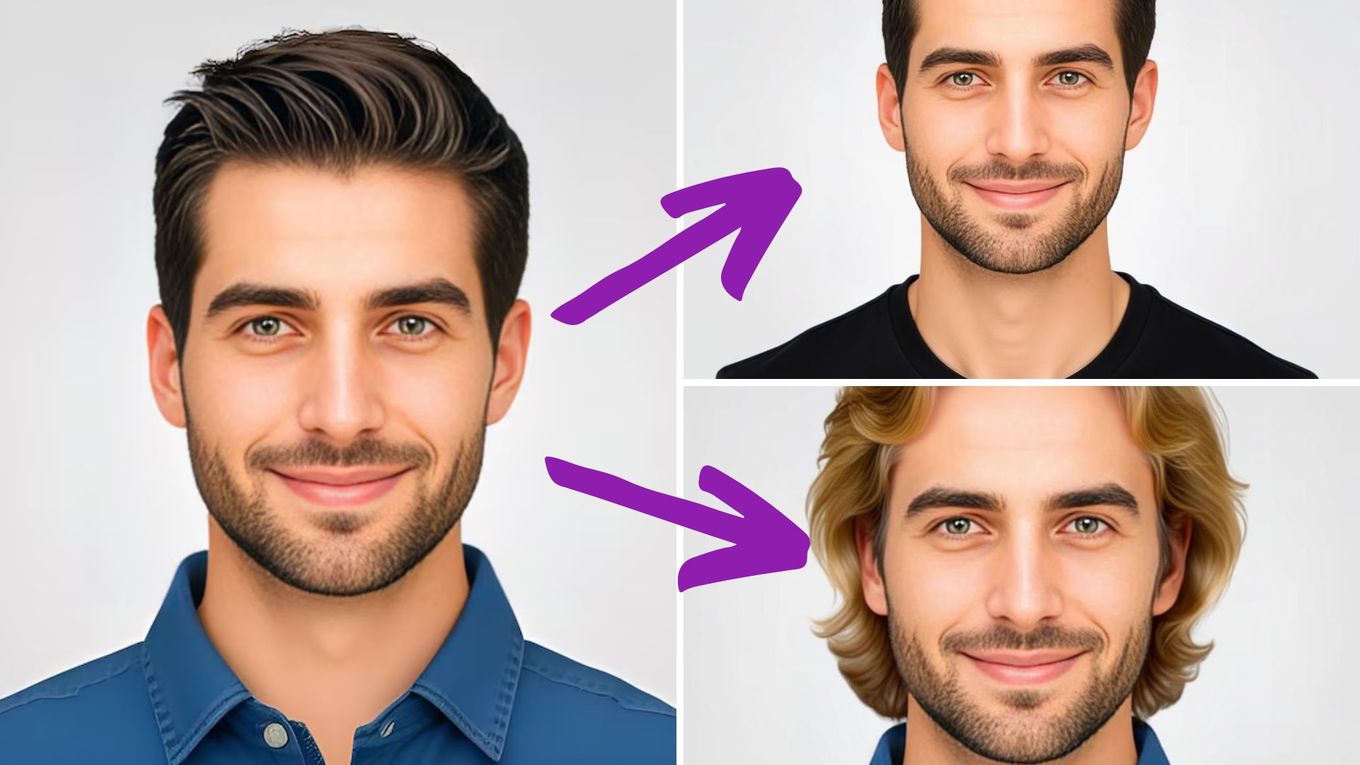
How to Use AI Image Generator with Consistent Characters?
Step 1 Upload an Image
For the best consistency, upload a clear image that shows your character’s facial details and overall appearance. Or you can use our Image Enhancer Tool to enhance image clarity.
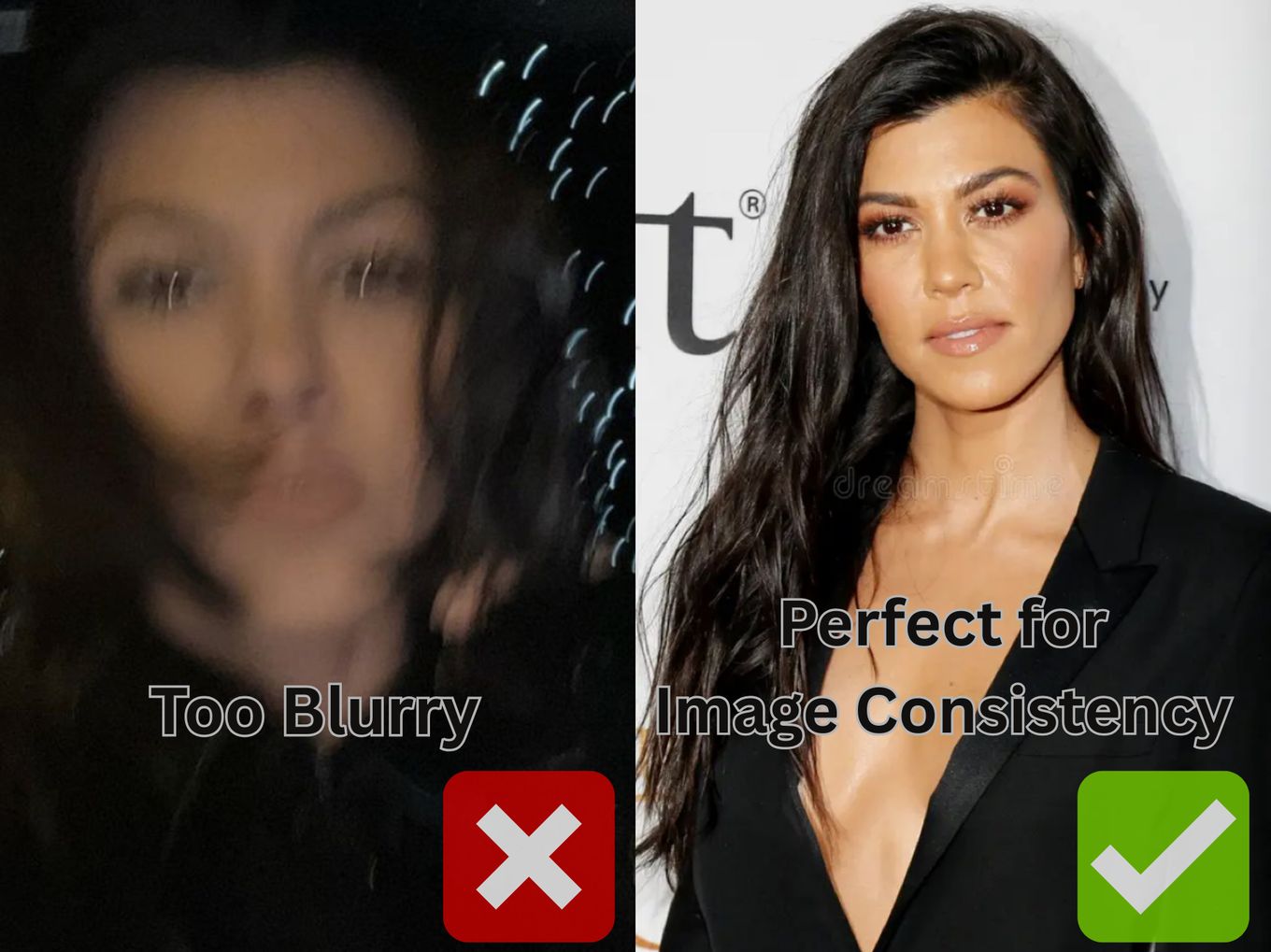
Step 2 Write Effective Prompt
This is the most important, and often most time-consuming step. A well-written prompt greatly increases your chances of getting the ideal result.
Specify Lens
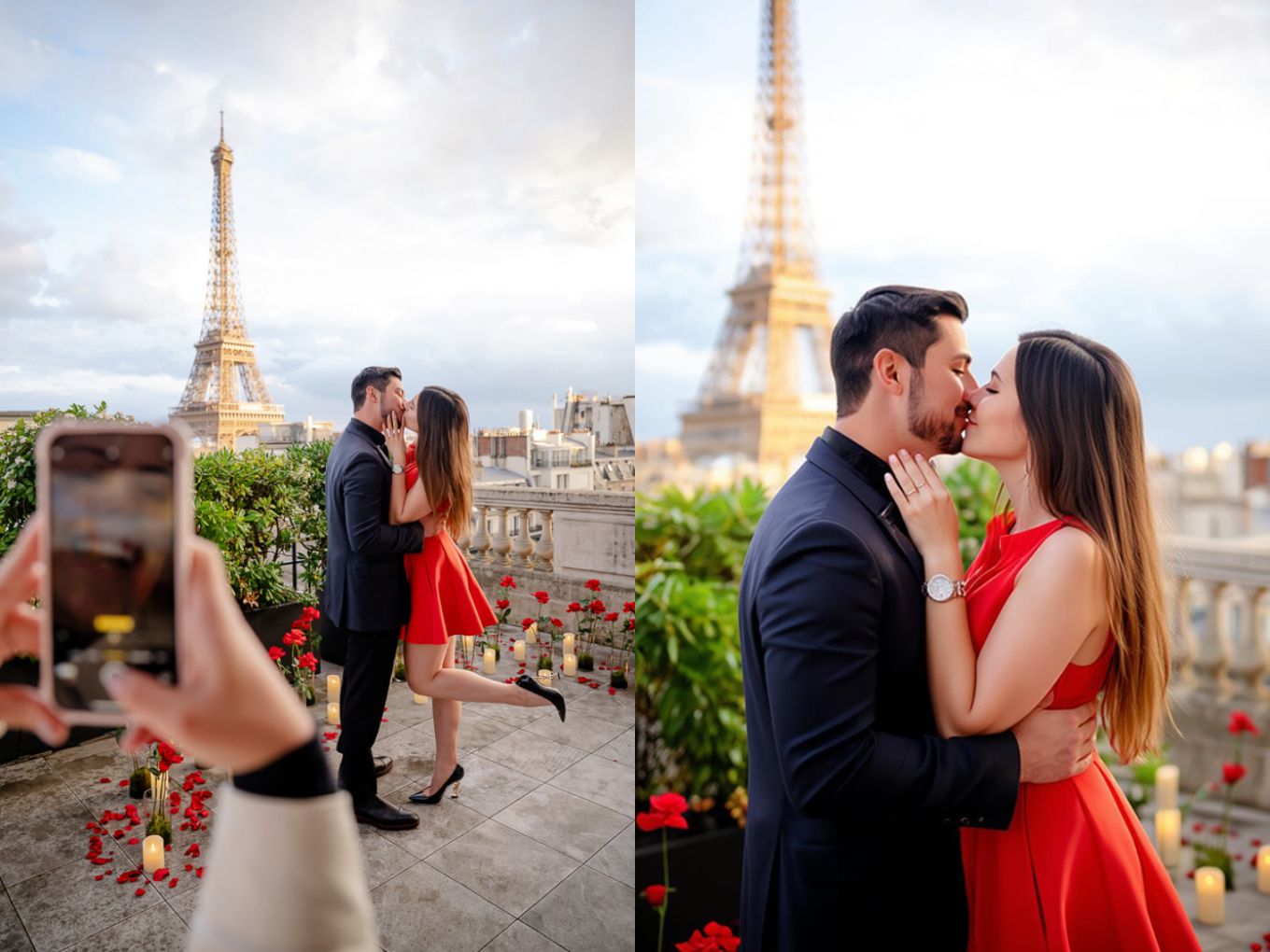
Tell the AI what kind of shot you want (e.g., panorama, close-up, full-body portrait, bird-eye view, low-angle shot)
Best practice: Transform the image into a close-up of a kissing couple. Remove the hands holding a phone from the input image.
Set the Scene and Composition
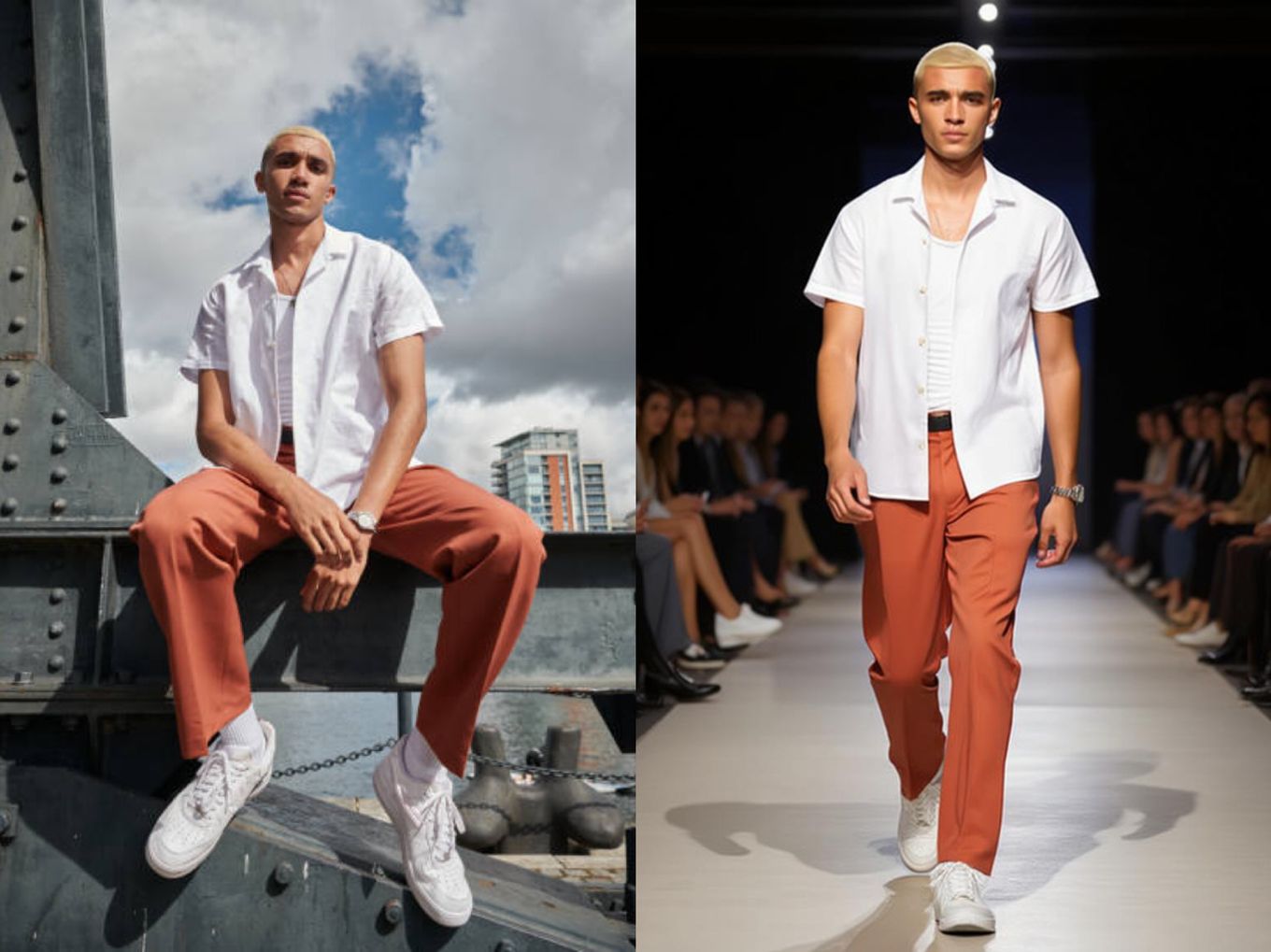
Describe the scene and surroundings of your image.
Best practice: Transform the input image into a front view of the model walking on a runway, with the audience seated on both sides of the stage. The image should reflect a classic photographic style, with the camera focused on the model while the background and audience remain blurred.
Describe the Character in Detail
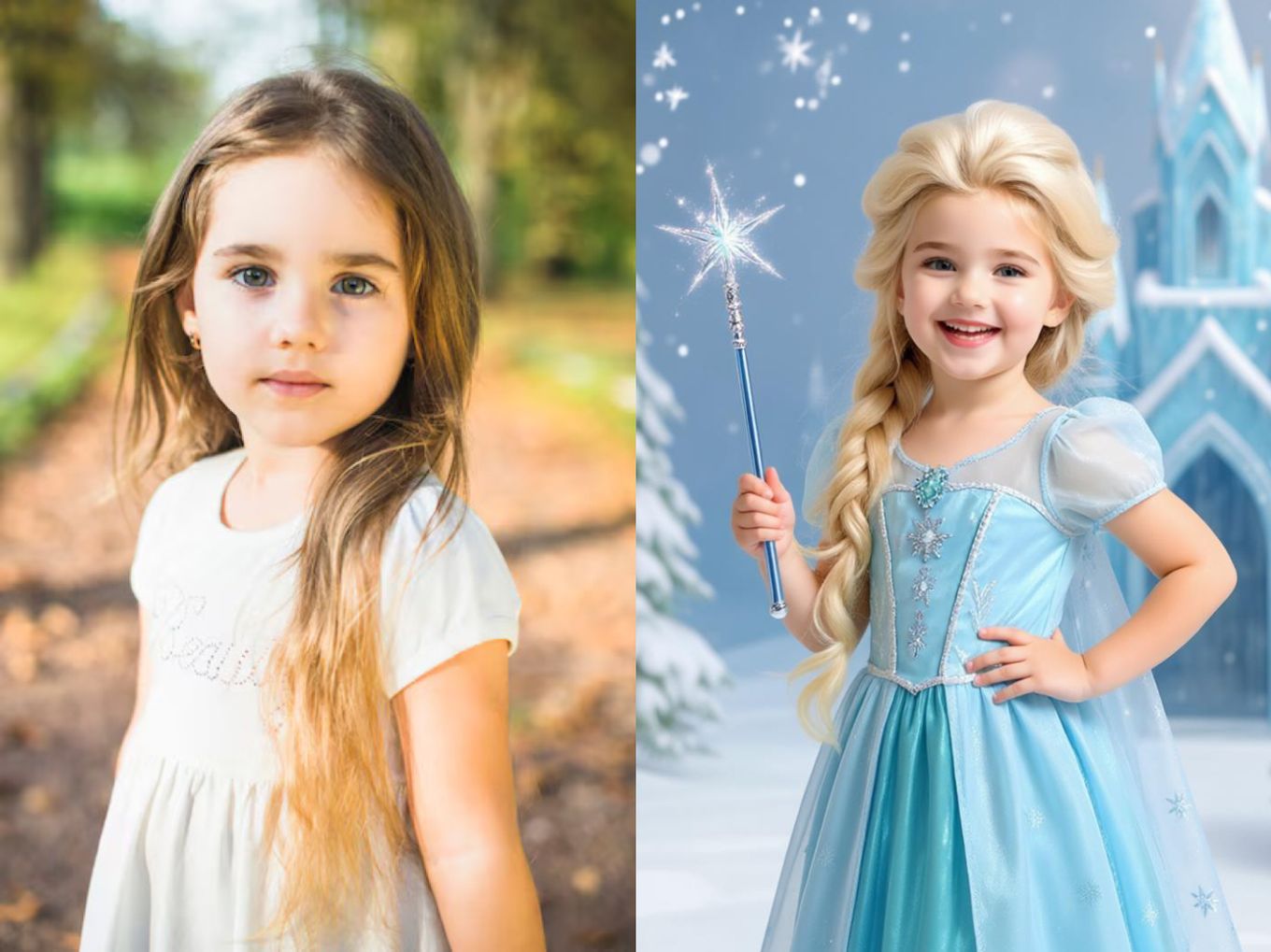
Describe the character’s pose and outfit clearly and specifically.
Best practice: Transform the input image into a girl wearing a light blue Elsa costume, holding a magic wand in one hand and resting her other hand on her waist. She’s smiling and standing in front of an ice castle, with an overall vibe that’s fancy and joyful.
Specify Style
Describe the style you want in the processed result.
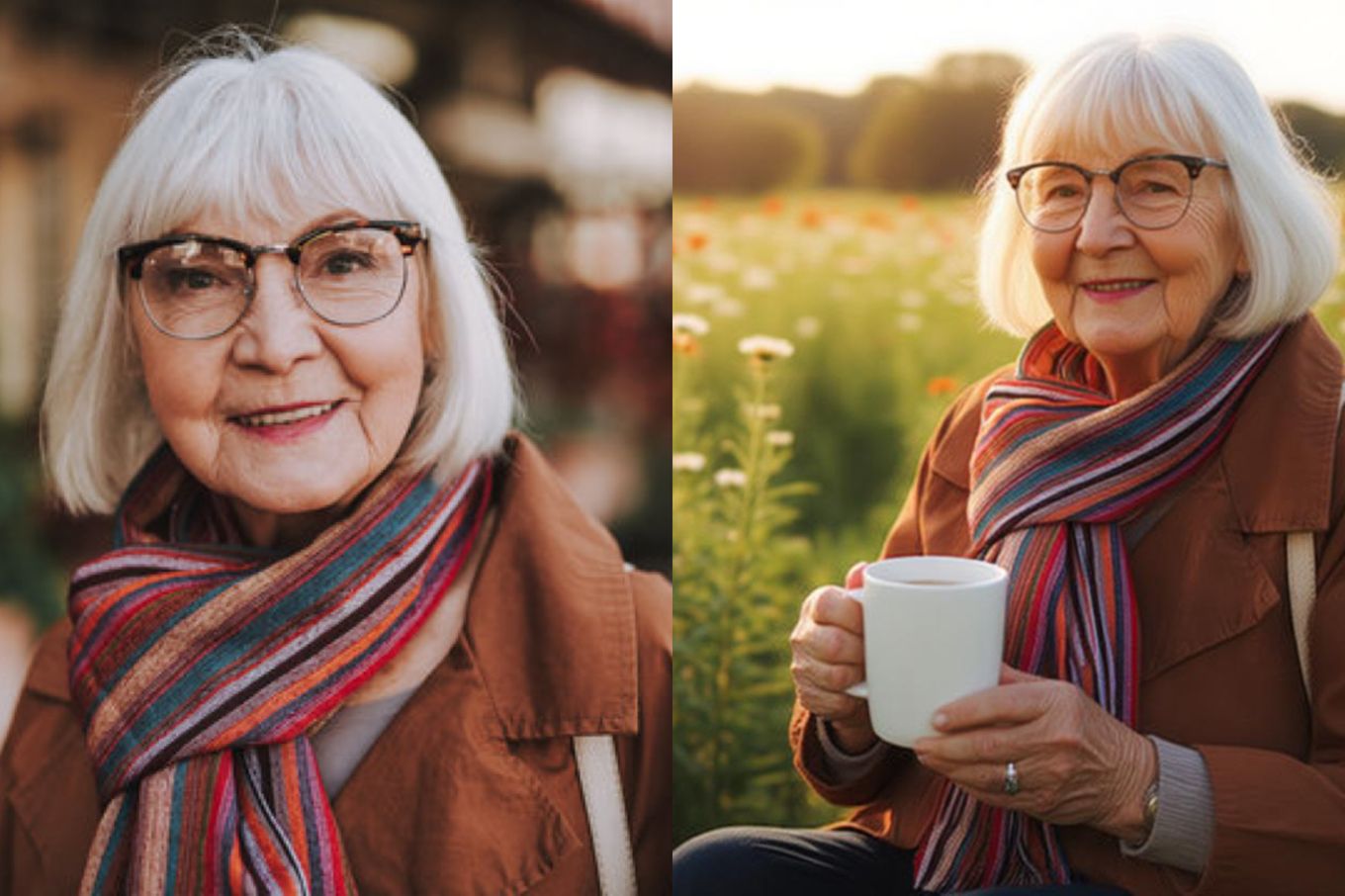
Best practice: Transform the input image into an old lady sitting on a farm, holding a mug of coffee. There are various flowers around her, and the warm sunlight bathes the scene. The overall vibe should feel peaceful and therapeutic.
Use Specific Language
Use precise wording to avoid ambiguity (e.g., checkered skirt instead of a skirt, a Coldplay poster instead of a poster).
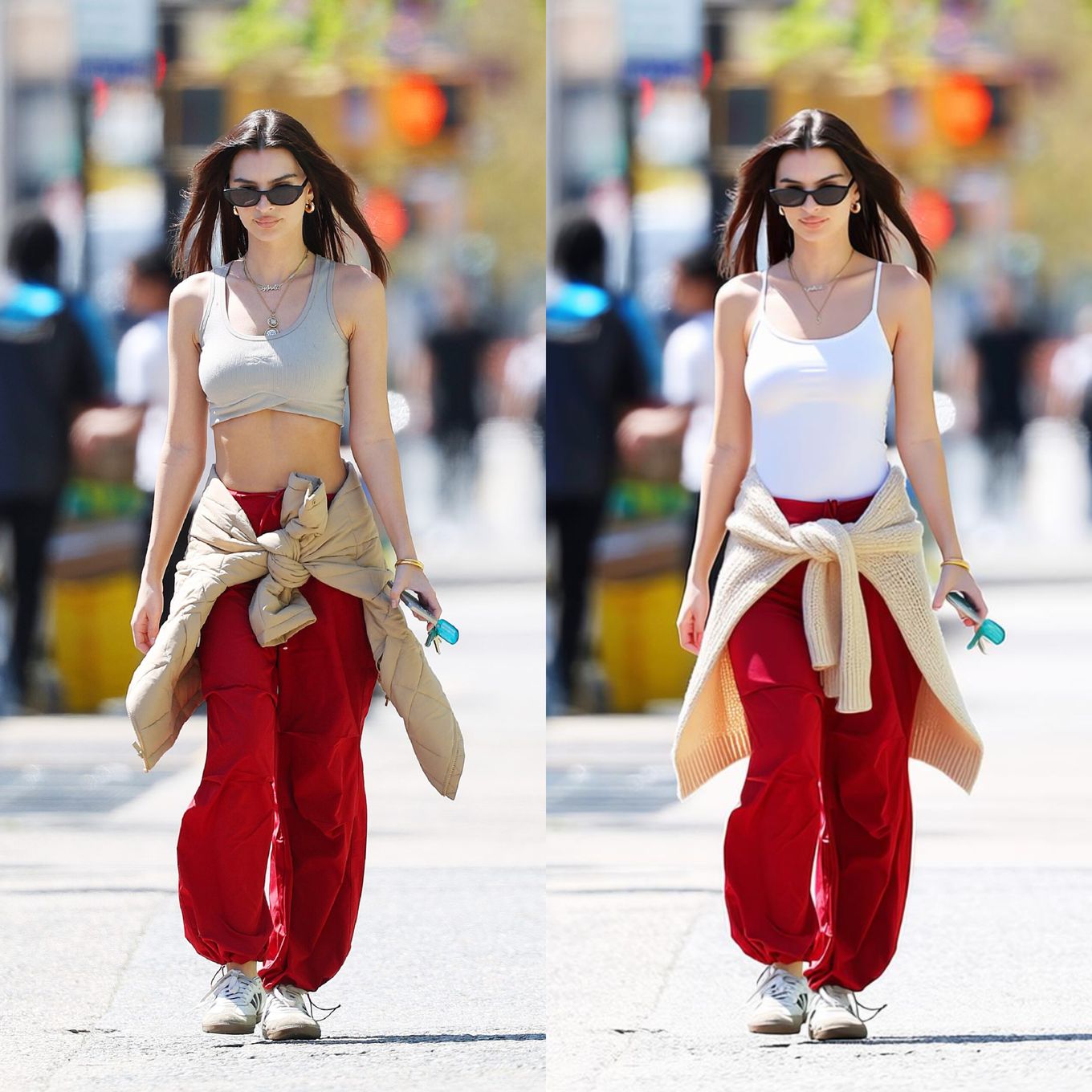
Best practice: Transform the girl’s outfit into a white tank top, with a knitted beige cardigan tied around her waist.
Describe the Effect You Want
Describe the visual effects you’d like to add to your image (e.g., magical lighting, mirroring, face enhancement, retro filter).
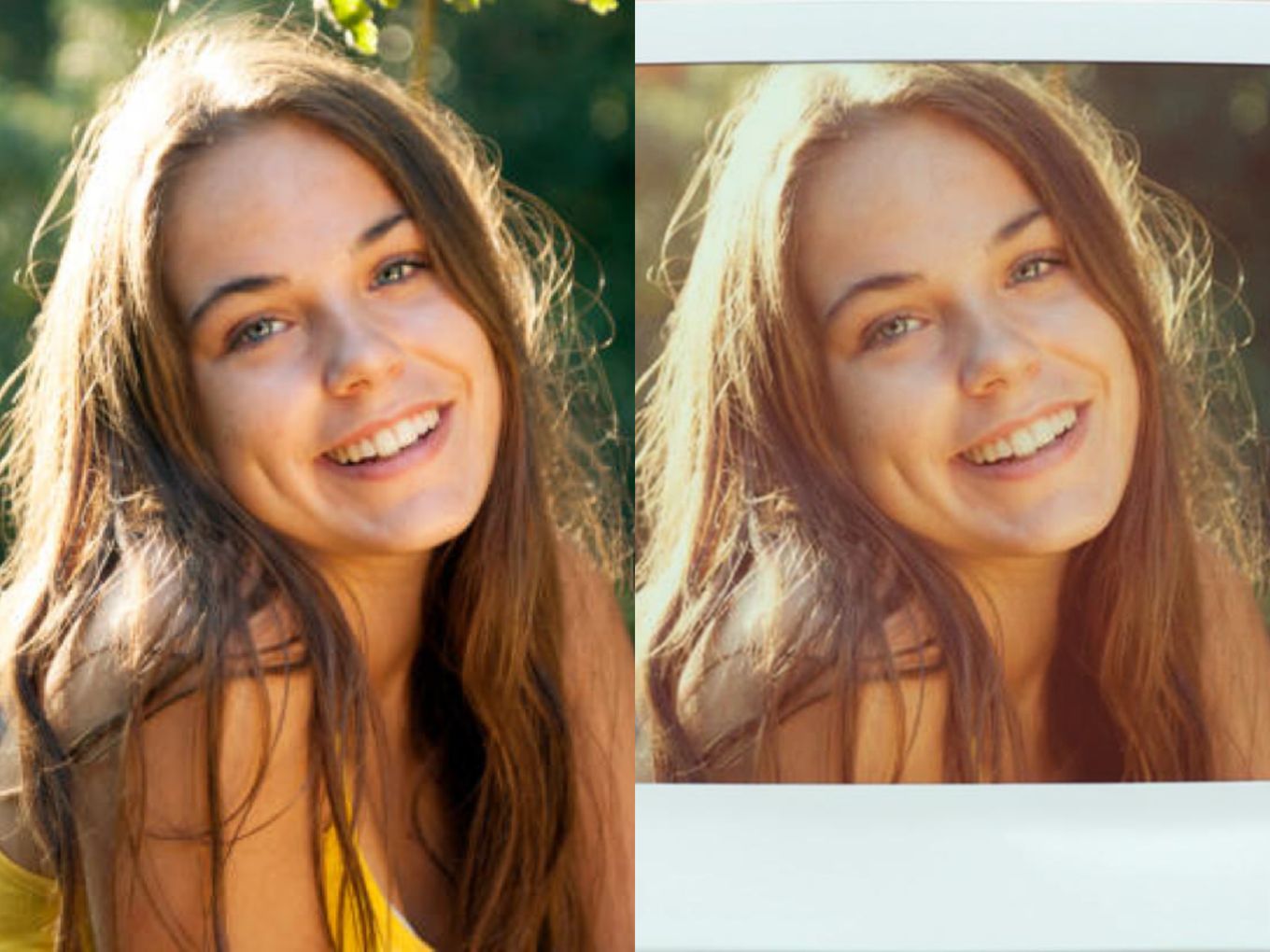
Best practice: Apply a retro film effect inspired by polaroid photography: warm highlights, faded shadows, and soft pastel colors.
Step 3 Fix Your Prompt If You Aren't Satisfied
If the processed result isn’t what you expected, review your prompt to see if any important details are missing. For instance, if the generated image doesn’t match your preferred style, make sure you’ve clearly described the style in your prompt.
What Makes SwapFace AI Image Generator with Consistent Characters Stand Out?
Advanced AI Algorithms
Deliver highly realistic and consistent character generation across different poses, outfits, and scenes.
High-speed Processing
Generate high-quality results in just seconds.
User-friendly Experience
Complete your creation process in just a few clicks — no technical skills required.
Privacy-first Principle
Your uploaded images and generated results are fully protected throughout the process.
Conclusion
You’re now ready to create stunning, consistent AI images with ease. Start your creative journey with SwapFace AI image generator and bring your imagination to life!
FAQS:
How does the AI image generator with consistent characters work?
SwapFace AI image generator analyzes the key facial and structural features of your character, then recreates consistent images across different poses, outfits, and styles, etc.
How can I get the best result?
Upload a clear image that shows your character’s details, and write a vivid, descriptive prompt to guide the AI precisely.
What if my input image is blurry?
You can use our Image Enhancer to improve the image clarity before generation.
How good is the consistency effect?
You can refer to the comparison images in this blog — all examples are generated by our AI image generator.
Is SwapFace AI image generator with consistent characters free to use?
Yes! You can try it with free credits. We offer free credits for new visitors and daily logins, and premium services are available at a reasonable price.