

AI Age Progression Online

Use AI Age Progression Online. Instantly transform your age into old or young face effects. Get high-quality portraits of yourself as a child and in old age.

Click to upload or drag and drop your image here
Supported formats: JPG, PNG (Max 10MB)

Upload Preview
Result Preview

Your result will appear here

Result Preview

Your result will appear here

How to Apply an Aging Filter to Your Photo?

Selfie of a blonde girl with a sticker showing the 'select video' button, used as a material in face age changer tutorial.

Upload Your Photo.

Open the Swapface AI Age Progression page, then upload a portrait photo of yourself or someone else. The image can be in JPG, JPEG, PNG, or WebP format.

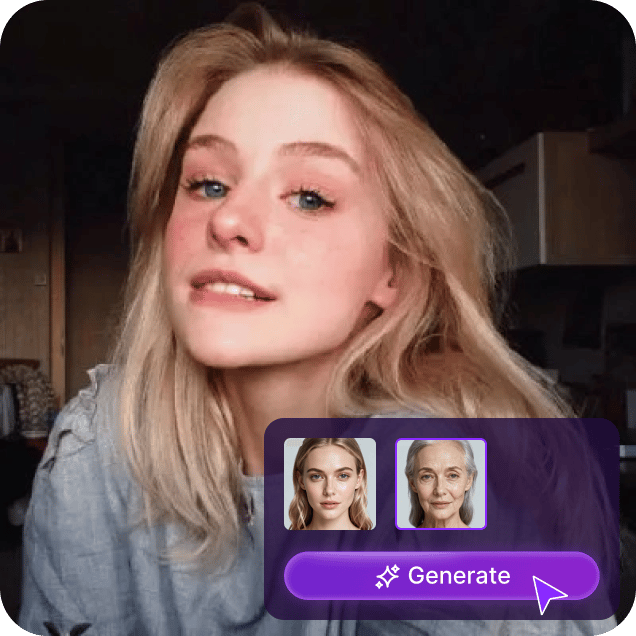
Selfie of a blonde girl with a sticker showing the face age changing process, used as a material in face age changer tutorial.

Select the Age Filter: Young or Old.

After uploading the photo, choose either the Young or Old Age Filter on the left side. Don't worry about gender, skin color, or ethnicity, our AI age progression tool can generate realistic young or old appearances.

Selfie of a blonde girl with a sticker showing the download' button and the 'download HD' button, used as a material in face age changer tutorial.

Start the AI Aging Process & Download.

Click the “Generate” button to apply the AI age filter to your photo online. Finally, download the photo with the age change!

FAQs About Online Facial Age Changer

More questions? Email us [email protected].

1.How To Ensure User Privacy And Security When Using Online Facial Age Changer?

First, in terms of data collection and management. We take advantage of encryption technology and build firewalls and intrusion systems to reduce the risk of data leakage.Secondly, we adopt multi-factor authentication to prevent unauthorized access.Finally, we take data privacy regulations and standards seriously, ensuring that user data is managed securely in the whole life-cycle.

2.Do I Need To Learn Any Specialized Skills To Use Age Changer Tool?

No, we provide navigation to prompt what you should do next and support online editing. When using these functions,you can observe the visual changes online and get started faster.

3.What Devices And Operating Systems Does Facial Age Changer Support?

We support online use on cell phones, computers, and tablets, and a variety of common operating systems are allowed, such as Windows operating system, MacOS system, Linux system, UNIX system, pure DOS system.

4.How To Use AI Technology To Get Best Age Changer Effect?

Upload the picture what you wanna change age to online facial age changer and choose age year.Just wait seconds,AI technology will generated natural effect picture of age change.Now, get time travel with this time machine!

5.How Fast Is The Online Facial Age Changer

Based on AI technology,the tool responds to image in 320 milliseconds on average.In fast cases,it can reacts in 232 milliseconds,processing speed is twice compare to other age adjuster in the industry.

User Reviews About Online Face Age Changer

Genuine user reviews, including feedback from our Product Hunt launch.

  • Star

    Online face age changer extremely revolutionized my workflow!Effect is natural and clients are satisfied with it.

  • Star

    This face age changer tool save our effect production lots of time,whose AI technology make me surprised!

  • Star

    The funny online tool!online face age changer make my content creating become interesting and engaging.

  • Star

    The precise age adjustment function give us infinity creative space.This is the best age editor tool absolutely!

  • Star

    Using online face age changer for age simulation in the classroom, students engagement has greatly improved.Very practical teaching tool!

More about SwapFaces AI Tools

Explore more of our products

Icon Credits 0